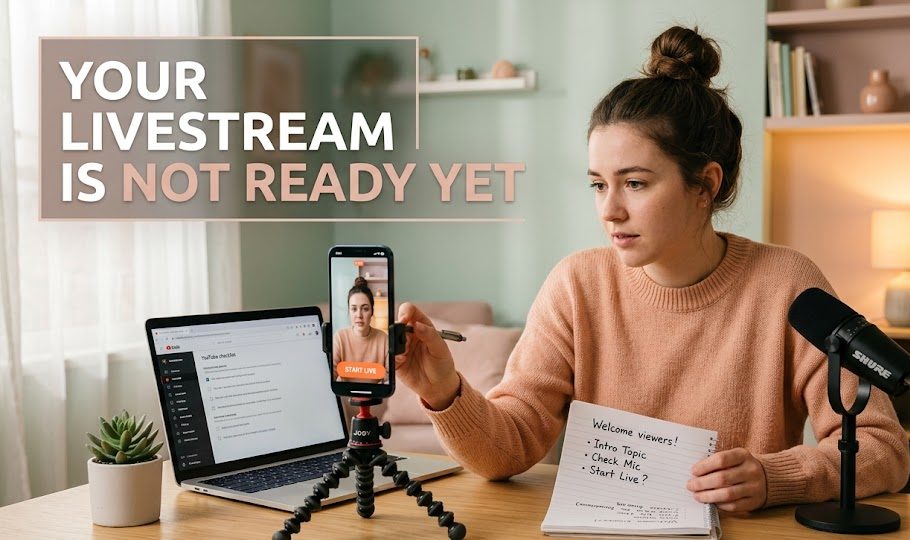
A livestream can feel ready just because the camera is on, the phone is charged, and the internet looks fine. But being technically able to go live is not the same as being prepared to host a live session. Many beginners only realize this after the session starts, when the topic feels unclear, the opening falls flat, and the chat becomes harder to handle than expected.
This article belongs in the Go Livestream space because it is not about defining livestreaming, choosing a career, or studying the industry. It is about the practical moment before a beginner creator presses the live button. The question is simple: are you actually ready to go live, or are you only excited enough to start?
The good news is that most problems show signs before they become disasters. If you can notice them early, you can fix them quickly. A livestream does not need to be perfect, but it should not feel like it was thrown together in the final five minutes either.
Readiness Is More Than Having A Camera
Before checking the warning signs, it helps to understand what “ready” means for a beginner livestream. Ready does not mean you have expensive gear, a huge audience, or a flawless script. Ready means the session has enough structure for viewers to follow and enough preparation for the host to stay calm.
A Livestream Needs Direction
A live session without direction can make the host talk too much without saying anything clear. Viewers may join, listen for a moment, and leave because they cannot understand what the session is about.
Direction does not need to be complicated. It can be one sentence:
“Today, I will show three things beginners should check before going live.”
That single sentence gives the session a spine. Without it, the livestream can wiggle everywhere like a kite with no string.
Beginner Creators Need A Safety Net
Going live puts small mistakes in real time. That is why beginners need a safety net: notes, opening lines, a rough flow, and a backup plan when silence appears.
A safety net does not remove every risk. It only keeps the host from falling too hard when the session feels awkward.
6 Warning Signs Your Livestream Is Not Ready

These warning signs are not meant to scare beginners. They are meant to help you pause before the session becomes harder than it needs to be. If two or three of these signs appear, it may be better to fix them first before going live.
1. You Cannot Explain The Topic In One Sentence
If you need five confusing sentences to explain your topic, your livestream may not be ready yet. A beginner host should know the main point before the session starts.
Try saying this out loud:
“Today’s livestream is about…”
If the sentence becomes too long, too vague, or too scattered, the topic needs trimming.
Weak topic examples:
- “I just want to talk about many things.”
- “Maybe I’ll discuss content, setup, and some random questions.”
- “I’ll go live and see where it goes.”
Better topic examples:
- “Today’s livestream is about preparing your first live setup.”
- “Today, I’ll explain how to write a simple opening script.”
- “This session will cover three ways to reduce nervousness before going live.”
A clear topic helps both the host and the viewer. The host knows where to go. The viewer knows why to stay.
2. Your Opening Still Starts With Waiting
A common beginner mistake is starting the livestream by waiting for people to join. The host says hello several times, checks the screen, looks nervous, and fills the air with uncertain words.
This can make the session feel weak before it even begins.
Instead of opening like this:
“Hi, I’ll wait for more people. Is anyone here? Let’s wait a bit.”
Use an opening that works even if only one person is watching:
“Hi everyone, welcome. In this short live, I’ll share three beginner mistakes that can make a livestream feel unprepared.”
That opening already gives value. It does not depend on crowd size.
A live session should begin like a room with the lights already on, not like someone still looking for the switch.
3. Your Notes Are Either Too Empty Or Too Full
Notes can help, but the wrong type of notes can hurt. If your notes are too empty, you may get lost. If they are too full, you may read like a robot.
Here is a quick comparison:
| Note Style | What Usually Happens |
|---|---|
| No notes | Host may ramble or forget key points |
| Full script | Host may sound stiff and unnatural |
| Random keywords | Host may jump between ideas |
| Short guided outline | Host has direction but still sounds human |
For beginner livestreams, the best option is usually a short guided outline.
A simple note can look like this:
- Opening promise
- Problem beginners face
- Main point one
- Main point two
- Main point three
- Chat break
- Recap
- Closing line
This gives enough structure without trapping the host inside a paragraph.
4. You Have Not Tested The Most Boring Things
The boring things are usually the things that break the session.
Battery. Internet. Microphone. Camera angle. Lighting. App login. Notification settings. These are not exciting, but they matter.
If you have not checked them, your livestream may not be ready.
Before going live, check:
- Is the device charged?
- Is the charger nearby?
- Is the microphone working?
- Is the camera steady?
- Is the internet stable enough?
- Is the background clean?
- Are private messages or tabs hidden?
- Is the live title correct?
Beginners often spend too much time thinking about how they will sound, but forget whether the sound actually works. A simple test can prevent a very public headache.
5. You Do Not Know What To Do If The Chat Is Quiet
A quiet chat can make beginners panic. The host may think nobody cares, then start talking too fast, apologizing too much, or ending the session early.
But quiet viewers are still viewers. Some people listen without commenting. Some join late. Some need time before asking questions.
Prepare lines for quiet moments:
- “If you’re watching quietly, that’s okay. I’ll keep going with the next point.”
- “You can drop a question anytime, but I’ll continue with the example first.”
- “For anyone who just joined, we’re talking about beginner livestream preparation.”
These lines help the session keep moving.
Silence is not always a wall. Sometimes it is just a room where people are listening.
6. Your Ending Is Still Unplanned
Many beginners prepare the beginning but forget the ending. As a result, the livestream ends awkwardly. The host repeats the same point, says goodbye several times, or fades out without a clear closing.
A simple ending should include:
- short recap
- one key takeaway
- next step for viewers
- thank you
- clean goodbye
Example:
“Before we end, remember this: your livestream does not need to be perfect, but it should have a clear topic, a simple opening, and a basic plan. Thanks for joining, and I’ll see you in the next live.”
That is enough. The ending should land like a small plane, not circle the airport forever.
A Quick Fix If Your Livestream Is Almost Ready
Sometimes you do not need to cancel the session. You only need a 15-minute fix. If your topic is clear but the structure feels weak, pause and prepare a simple flow.
The 15-Minute Pre-Live Repair
Use this quick repair before going live:
- Write one sentence for your topic.
- Write one opening line.
- List three main points.
- Prepare one chat prompt.
- Test microphone and camera.
- Write one closing sentence.
This is not a full production plan. It is emergency structure for beginners. It helps turn a scattered session into something viewers can follow.
When You Should Delay The Livestream
Delaying is better than forcing a session that feels too messy. Consider delaying if:
- you do not know the topic
- your internet is unstable
- your audio does not work
- you feel completely unprepared
- the platform setting is confusing
- the session involves important guests or customers
There is no shame in delaying to avoid a worse result. A live session happens in real time, and real-time mistakes can travel quickly.
Before You Press The Button
A livestream is not ready just because the live button is visible. It is ready when the host knows the topic, has a clear opening, prepares simple notes, checks the basic setup, and knows how to close the session.
For beginner creators, readiness is not perfection. It is preparation with enough structure to survive real-time pressure.
If your livestream shows some warning signs, fix the small things first. The audience may never notice the preparation, but they will feel it. A prepared live session has a different rhythm. It moves with intention, not panic.


Seo Ji-an worked as a junior broadcast producer before moving into livestream production for beauty brands, independent creators, and online retailers.
During her seven years in digital production, she has handled studio preparation, lighting checks, audio testing, run sheets, and backup streaming systems.
She writes practical guides for beginners who want to prepare a reliable broadcast without turning a small room into an expensive television studio.