Improvising everything sounds natural until the stream hits an awkward silence. That dead air can make viewers leave before the host even gets to the good part. A livestream script template works better as a flexible backbone, giving the host clear direction without turning the broadcast into a stiff teleprompter reading. The goal is simple: make every minute feel like it has somewhere to go.
A strong live script does not mean writing every sentence word for word. Instead, it maps the hook, value, interaction, transitions, and CTA. This matters because the opening minutes are especially vulnerable to viewer drop-off, while chat activity and planned segments can help maintain momentum.
For most creators, the best approach is a flexible rundown. You know what comes next, but you can still react when the audience asks an unexpected question, a product suddenly sells out, or a funny moment takes over the room.
Livestream Script Template Structure for Stronger Audience Retention

The first job of your script is not to make you sound polished. It is to prevent the stream from becoming a collection of disconnected moments.
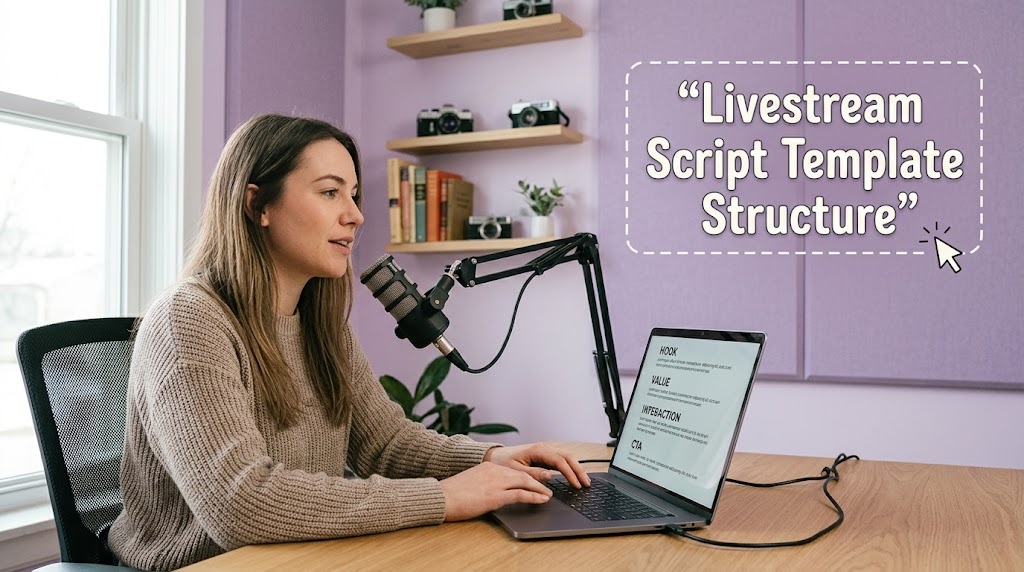
A useful structure looks like this:
- 0:00–0:30: Hook and immediate promise
- 0:30–2:00: Context and credibility
- 2:00–10:00: Main value or demonstration
- Every few minutes: Interaction or mini-hook
- Final section: Recap and CTA
Research and creator-focused guidance consistently point toward the same principle: viewers need an immediate reason to stay, while the stream should continue giving them reasons to reach the next segment.
1. Build the Hook Around a Specific Viewer Problem
Avoid opening with five minutes of greetings.
Try a sharper promise:
“By the end of this live, you’ll know exactly which setup works for a beginner and which mistakes waste your time.”
A good hook contains three things: the problem, the promised value, and a reason to keep watching.
2. Turn Your Broadcast Rundown Into Talking Points
Instead of writing a complete speech, prepare three to five talking points for every major segment.
For example:
Product demonstration
- What problem does it solve?
- What makes it different?
- What should viewers watch for?
- What is the biggest limitation?
- Who should actually buy it?
This gives you enough structure to stay focused without sounding scripted.
3. Create Segments That Naturally Invite Interaction
A live stream should feel different from a recorded video.
Ask viewers something specific:
“Which one would you choose, A or B? Type A or B in the chat.”
Then use their responses to move the discussion forward.
YouTube’s live analytics specifically tracks concurrent viewers and chat messages, making interaction worth measuring rather than treating it as decoration.
4. Leave Space for the Unexpected
Your script should have empty space.
That sounds strange, but it matters.
If a viewer asks an excellent question, don’t rush back to the script just because the next bullet says “move to segment three.” Follow the conversation, then return to your planned route.
That is what makes a flexible rundown feel live rather than rehearsed.
Build Seamless Transition Between Segments Without Sounding Scripted
Weak transitions make livestreams feel like separate videos stitched together. A seamless transition instead gives viewers a reason to follow the next section.
The trick is to connect one idea to another.
1. Use the Previous Point to Introduce the Next
Instead of:
“Okay, now let’s talk about pricing.”
Try:
“So we know what makes this useful. The next question is whether it’s actually worth the price.”
The second version creates a logical bridge.
2. Add a Mini Hook Before a Topic Change
A transition can also create curiosity.
For example:
“That sounds good, but there’s one catch most beginners don’t notice.”
Now the viewer has a reason to wait for the next explanation.
This technique is particularly useful when audience retention begins falling between segments. Rather than randomly changing topics, use the transition itself as another retention device.
3. Repeat the Main Promise Without Repeating Yourself
New viewers can enter at any point during a livestream. Give them quick context without restarting the entire broadcast.
You might say:
“If you just joined, we’re testing three beginner setups. We’ve covered the first two, and this last one has the biggest surprise.”
That single sentence tells newcomers what is happening while giving existing viewers a reason to stay.
4. Use Interaction as the Bridge
Chat can become part of your structure.
Ask:
“Before we move on, tell me which option you would pick.”
Then read two or three answers.
This creates a natural pause, gives viewers ownership, and helps the next segment feel connected rather than forced. Live-streaming guidance also recommends weaving questions and Q&A into the broadcast instead of isolating interaction into one rigid block.
Make the CTA Feel Like the Next Logical Step
A CTA should not suddenly appear like an advertisement.
Instead, connect it to the value you have just delivered.
For example:
“If this comparison helped you decide, check the full guide before you choose your setup.”
For sales streams, the same principle applies. Explain why the offer matters, then tell viewers exactly what to do.
Keep the CTA simple:
- Subscribe
- Follow
- Download
- Comment
- Visit the offer
- Ask a question
- Join the next stream
One stream does not need six competing CTAs.
If you’re still struggling with structure, it is also worth reviewing the common scripting problems covered in this guide on livestream script mistakes beginners should avoid before your next broadcast.
Test the Script Before Going Live and Improve It From Real Data
Don’t judge your script only by how comfortable it feels while writing.
Judge it by what viewers actually do.
After the broadcast, check:
- Where did viewers drop?
- Which segment produced the most chat?
- When did concurrent viewers peak?
- Which question triggered the strongest response?
- Did viewers stay longer during demonstrations or discussion?
- Where did the pace noticeably slow down?
YouTube Studio provides live-stream analytics that include concurrent viewers and chat activity, giving creators concrete data for evaluating the broadcast.
If viewers consistently leave during your introduction, shorten it.
If engagement spikes during demonstrations, move demonstrations earlier.
If chat becomes quiet after 20 minutes, introduce an interaction prompt before that point.
That’s how a script evolves from a generic template into something tailored to your audience.
A Practical Flexible Rundown You Can Reuse
Here is a simple framework you can adapt to almost any livestream:
HOOK
“Today we’re going to [specific result], and I’ll show you [specific proof].”
CONTEXT
“Here’s why this matters and what we’re testing.”
VALUE SEGMENT
Explain the first major point.
INTERACTION
Ask one specific question and respond to selected comments.
VALUE SEGMENT TWO
Show the second point, example, demo, or comparison.
MINI HOOK
“But there’s one thing I haven’t shown you yet.”
FINAL VALUE
Deliver the promised result.
CTA
Tell viewers exactly what to do next.
This structure is intentionally loose. You can stretch one segment, cut another, or respond to chat without losing the overall direction.
The best livestream script template is therefore not the longest one. It’s the one that keeps the host oriented while leaving enough room for genuine conversation.
Q&A
What is the ideal length for a livestream script?
There is no universal ideal length. Build the script around segments rather than total word count. A 60-minute live may need only a page of concise talking points if the host is experienced.
Should I write every sentence before going live?
Usually, no. Full scripts can make live delivery sound unnatural. Use hooks, key facts, questions, examples, and CTA wording as anchors instead.
How often should I interact with viewers?
There is no fixed rule for every audience, but avoid waiting for chat to rescue a quiet stream. Prepare interaction prompts in advance and weave them into the content every few minutes when appropriate.


Seo Ji-an worked as a junior broadcast producer before moving into livestream production for beauty brands, independent creators, and online retailers.
During her seven years in digital production, she has handled studio preparation, lighting checks, audio testing, run sheets, and backup streaming systems.
She writes practical guides for beginners who want to prepare a reliable broadcast without turning a small room into an expensive television studio.