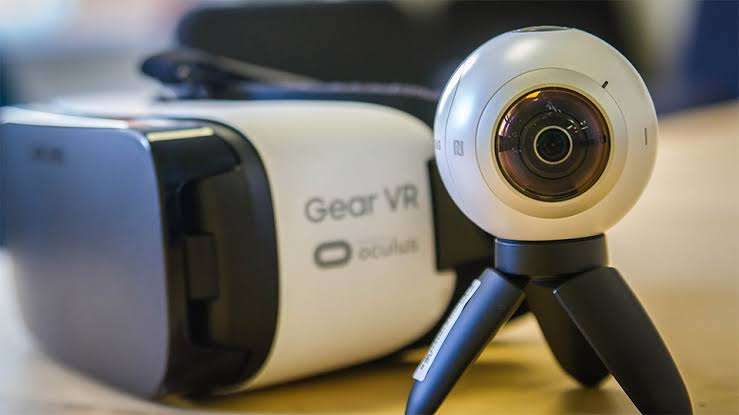
If you’re searching for samsung gear live because you want an old Samsung device for streaming, there’s an important detail to clear up first. Gear Live was actually a 2014 Android Wear smartwatch, while Gear 360 was Samsung’s camera designed for 360-degree photos, videos, and supported live broadcasts. That small naming mix-up can lead you to buy completely the wrong device.
1. Samsung Gear Live Was a Smartwatch, Not a Streaming Camera

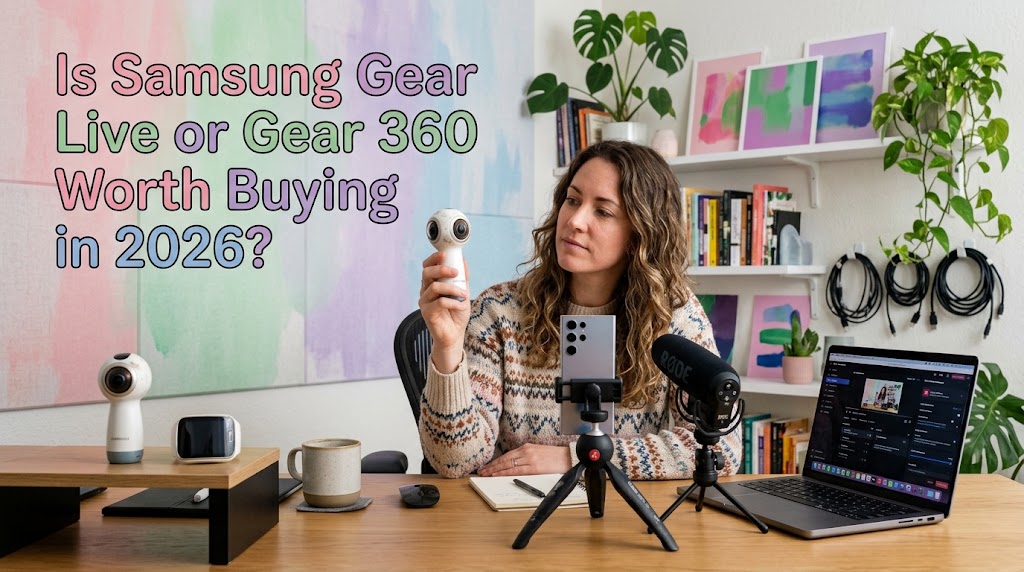
Samsung Gear Live launched in 2014 as one of Samsung’s early Android Wear smartwatches. It had a 1.63-inch Super AMOLED display, 512MB RAM, 4GB storage, heart-rate monitoring, Bluetooth, and a 300mAh battery. Samsung promoted it for notifications, Google Now, fitness tracking, and wearable functions.
No Camera Means No Direct Livestreaming
This is the most important point. Gear Live didn’t have a camera. Samsung’s own material confirms that limitation, so it can’t function as a standalone livestream camera.
The Hardware Was Decent for Its Era
For 2014, the AMOLED screen and compact design were genuinely appealing. Reviews also liked its display and Android Wear experience, although battery life wasn’t a major strength.
So, as a retro smartwatch? Interesting.
As streaming equipment in 2026? Not recommended.
Why You Might Still See It in Search Results
The confusion mostly comes from Samsung’s similarly named wearable and camera products. Add searches for old apps and accessories, and the results become a bit of a rabbit hole.
If the goal is livestreaming, look at Gear 360 instead.
2. Samsung Gear 360 Live Stream Is the Feature You Probably Mean
The samsung gear 360 live stream feature belongs to Samsung’s Gear 360 camera line, not Gear Live.
Samsung documented live broadcasting through compatible services such as YouTube and Facebook. The camera could be connected to a compatible smartphone through the Samsung Gear 360 application, with the mobile device handling the broadcast setup.
The Basic Streaming Workflow
The process was relatively simple:
- Turn on Gear 360.
- Connect it to a compatible smartphone.
- Open the Gear 360 app.
- Select Live broadcast.
- Choose the supported platform.
- Configure the audience and broadcast settings.
- Start streaming.
The attraction is obvious. Instead of showing viewers one fixed camera angle, 360-degree footage lets them explore the surrounding scene.
Where Gear 360 Makes Sense
It can be particularly interesting for:
- travel content
- events
- behind-the-scenes footage
- virtual tours
- outdoor experiences
- immersive demonstrations
But don’t confuse “can livestream” with “ideal modern streaming camera.” Older Gear 360 hardware relies heavily on software and device compatibility.
The Compatibility Problem in 2026
This is where buying used gets tricky. Samsung notes that live-broadcast availability can depend on the Gear 360 model, mobile device, software version, and region.
In other words, an old listing saying “supports live streaming” isn’t enough. Check the exact model and whether its required app still works with your phone.
3. Samsung Gear 360 APK and ActionDirector Have Different Jobs
Searches for Samsung Gear 360 APK often appear alongside ActionDirector because both are connected to the Gear 360 ecosystem. But they serve different purposes.
Gear 360 APK Is About Mobile Control
The mobile software was designed to connect the smartphone with the camera and access functions such as camera control and supported live broadcasting.
That doesn’t mean every APK found online will work today. An unofficial APK can have compatibility or security issues, particularly when dealing with an old camera.
ActionDirector Is Mainly for Editing
Gear 360 ActionDirector is a desktop editing solution. Samsung documentation describes features for importing Gear 360 footage, editing clips, adding effects, transitions, titles, and music.
So the easiest way to remember it is:
- Gear 360 app: connect and control the camera.
- Live broadcast: stream compatible Gear 360 footage.
- ActionDirector: edit recorded footage.
Don’t install ActionDirector expecting it to magically turn an old camera into a livestreaming system.
Should You Download an Old APK?
I’d only do it when you already own the camera and know the exact model and software requirements.
For a second-hand purchase, test compatibility first. Otherwise, that “cheap” camera can quickly become an expensive afternoon of troubleshooting.
For beginners building a setup from scratch, it’s smarter to first understand which equipment actually matters. This guide on beginner livestream gear worth buying first can help before spending money on older Samsung hardware.
4. Is Samsung Gear Live or Gear 360 Worth Buying in 2026?
If you want a smartwatch, Gear Live is mainly a collector’s or retro-tech purchase. Samsung discontinued it years ago, and its hardware is simply too old for modern content creation.
If you want 360-degree livestreaming, Gear 360 is the relevant product. It has a much stronger connection to the use case, but compatibility is the big question.
Before buying used, check:
- Exact Gear 360 model.
- Smartphone compatibility.
- Required application.
- Streaming platform support.
- Condition of the battery.
- Whether you actually need 360-degree video.
My recommendation is simple: don’t buy Gear Live for streaming. If you’re interested in Gear 360, buy only after confirming that your current phone and intended platform can support the required workflow.
For professional streaming, newer equipment will generally be the safer investment. For experimentation, travel, or simply playing with 360-degree content, a cheap Gear 360 can still be fun.
5. Final Verdict
The name is similar, but the products couldn’t be more different.
Samsung Gear Live is a smartwatch. Gear 360 is the camera.
Gear Live had respectable smartwatch hardware for its time, but it never had the camera needed for direct video streaming. Gear 360, meanwhile, was specifically built around immersive imaging and supported live broadcasting through compatible devices and services.
So if your search started with Gear Live because you wanted Samsung streaming gear, stop there before buying. The product you’re actually looking for is much more likely to be Gear 360.
Q&A
Can Samsung Gear Live livestream by itself?
No. Gear Live doesn’t have a camera, so it isn’t a standalone video or livestreaming device.
Can Gear 360 still livestream in 2026?
It may, depending on the exact model, smartphone, software version, region, and streaming platform. Compatibility should be checked before purchasing a used unit.
What is Gear 360 ActionDirector used for?
It’s primarily desktop editing software for Gear 360 footage. It’s not the same as the mobile Gear 360 application used for camera control and supported broadcasting.


Seo Ji-an worked as a junior broadcast producer before moving into livestream production for beauty brands, independent creators, and online retailers.
During her seven years in digital production, she has handled studio preparation, lighting checks, audio testing, run sheets, and backup streaming systems.
She writes practical guides for beginners who want to prepare a reliable broadcast without turning a small room into an expensive television studio.