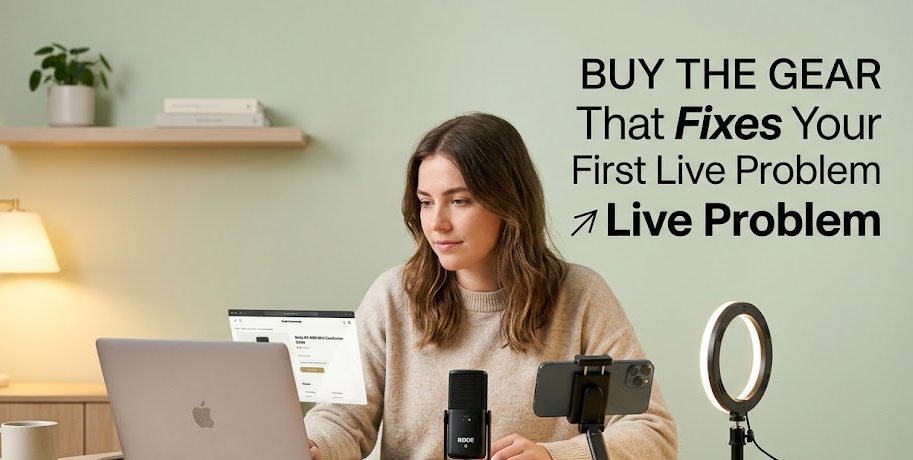
Beginner livestream gear can feel confusing because every tool looks important when you are just starting. A microphone promises better sound. A camera promises sharper video. A light promises a cleaner face. A tripod promises stability. Then suddenly, a simple plan to go live turns into a shopping list that feels longer than the live session itself.
The truth is, beginners do not need to buy everything at once. Good gear should solve a real problem, not just make the desk look more professional. If your audio is unclear, a microphone matters. If your phone keeps falling, a stand matters. If your face is hidden in shadow, lighting matters.
Before buying livestream gear in 2026, it is smarter to understand what each tool actually does. Some equipment is worth buying early because it improves the viewer experience right away. Some gear can wait because beginners may not need it until their format, audience, and live routine become clearer.
Good Livestream Gear Starts With A Simple Question
Before comparing tools, beginners should ask one honest question: what problem is this gear supposed to fix? That question can save money, desk space, and a lot of regret after buying something that only looks useful in product photos.
Do Not Buy Gear Just To Look Serious
Many beginners think better gear will automatically make them feel more confident. Sometimes it helps, but only when the gear supports the session.
Buying a camera will not fix a messy topic. Buying a fancy light will not fix unclear speaking. Buying a microphone will not help much if the host still sits too far away or forgets to test the sound.
Gear is useful, but it is not magic. It is more like a quiet assistant. It helps the host do the job better, but it cannot replace preparation.
A beginner should buy gear based on problems like:
- viewers cannot hear clearly
- the camera shakes too much
- the room looks too dark
- the product is hard to see
- the host needs both hands free
- background noise is distracting
If the problem is real, the gear has a purpose. If the problem is only “I want my setup to look cool,” maybe wait.
The First Upgrade Should Improve The Viewer Experience
The best first gear is usually the one that makes the session easier to watch or hear. Viewers do not always care whether the host uses expensive equipment. They care whether the content is understandable.
For most beginner creators, the first upgrades should improve:
| Viewer Problem | Gear That Can Help |
|---|---|
| Voice is unclear | External microphone |
| Phone keeps moving | Phone stand or tripod |
| Face looks too dark | Soft light or ring light |
| Sound echoes too much | Basic room adjustment or small mic |
| Product is hard to show | Table stand or overhead mount |
| Host keeps checking notes awkwardly | Laptop stand or second device |
This table is simple, but it shows the right mindset. Start with the viewer’s problem, then choose the tool.
Beginner Livestream Gear Worth Buying First
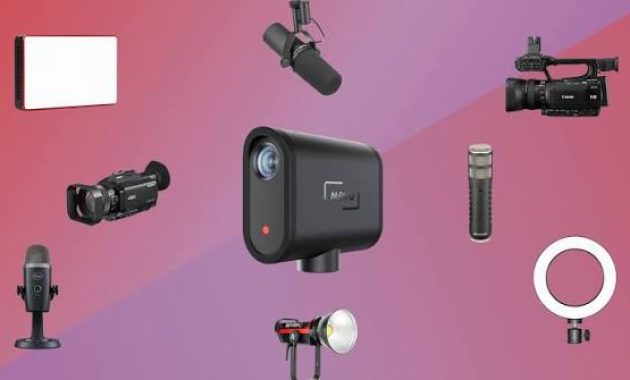
Some gear is useful early because it fixes the most common problems in beginner live sessions. You do not need the most expensive version. You only need something reliable enough to make the session smoother.
1. A Microphone Usually Matters More Than A Camera
If you can only upgrade one thing first, audio is often the smartest choice. Viewers may tolerate average video, but unclear audio can make them leave quickly.
A beginner microphone can help make the voice sound closer, cleaner, and easier to follow. This is useful for tutorials, product demos, live selling, online teaching, interviews, or casual creator sessions.
You do not always need a studio microphone. Depending on your format, you can consider:
- clip-on microphone for speaking while moving
- USB microphone for desk-based sessions
- headset microphone for teaching or gaming
- small wireless microphone for product demos
Before buying, think about how you go live. If you sit at a desk, a USB microphone may work. If you stand and show products, a clip-on or wireless mic may feel easier.
2. A Stable Stand Makes The Session Feel More Prepared
A shaky phone is one of the fastest ways to make a live session look messy. A simple phone stand or tripod can instantly make the video feel more intentional.
This gear is not exciting, but it is useful. It helps keep the camera steady, places the phone at a better angle, and gives the host both hands free.
A stand is especially useful for:
- live selling
- product demonstration
- makeup or craft tutorials
- cooking sessions
- teaching from a desk
- talking-head creator sessions
Look for a stand that is stable, adjustable, and suitable for your recording space. A cheap stand that falls easily can create more stress than help.
3. Soft Lighting Helps Viewers See You Clearly
Lighting does not need to be dramatic. The goal is simply to make the subject visible. If your face is too dark or the product cannot be seen clearly, viewers may struggle to stay focused.
Soft light works better than harsh light because it reduces strong shadows. A ring light, small LED panel, or even a well-placed lamp can help.
Beginners should avoid placing strong light behind them. A bright window behind the host can make the face look dark. The light should usually come from the front or slightly from the side.
Good lighting is like opening a curtain. It does not change who you are, but it helps people see you properly.
4. Headphones Can Prevent Small Audio Problems
Headphones are often forgotten, but they can be helpful when monitoring sound, joining guest sessions, or avoiding echo.
If you are doing interviews, webinars, co-host sessions, or screen-sharing sessions, headphones can help prevent the microphone from picking up speaker sound. They also make it easier to hear guests or alerts.
You do not need large studio headphones at first. A simple pair can work if it is comfortable and reliable.
Gear That Can Wait Until Your Format Is Clear
Some livestream gear looks attractive, but beginners may not need it right away. Buying too early can create clutter and pressure. It is better to wait until you know what kind of live sessions you will do regularly.
An Expensive Camera Can Wait
A better camera can improve image quality, but it should not be the first priority for everyone. Many phones and laptops are good enough for early practice, especially if the lighting is decent.
Buy a better camera later if:
- you go live regularly
- your content depends on visual detail
- your current camera looks very poor
- your audience expects higher production quality
- your lighting and audio are already under control
If the topic, sound, and structure are still weak, a camera upgrade will not solve the main issue.
A Green Screen Is Not Always Needed
A green screen can be useful for certain formats, but it can also create problems if lighting is uneven or the background effect looks messy.
For many beginners, a clean real background is better. A tidy corner, simple wall, bookshelf, or plain desk area can feel more natural.
Use a green screen only if it supports the content. Do not use it just because it feels like something creators are supposed to have.
Advanced Control Tools Should Come Later
Tools like stream controllers, mixers, advanced switchers, and multi-camera setups can be useful for serious production. But for beginners, they may be too much too soon.
These tools are better after you already understand your live format. If your session is still simple, more buttons may only create more confusion.
Advanced tools should make your workflow easier. If they make you nervous before every session, they are probably too early.
Choose Gear Based On Your Livestream Format
The right gear depends on what you actually do during the live session. A tutor, seller, gamer, speaker, and event host may need different tools. Copying someone else’s setup without knowing their purpose can lead to wasted money.
For Talking Head Sessions
If you mostly sit and talk to the camera, keep the setup simple.
Useful gear may include:
- USB microphone
- phone stand or laptop stand
- soft front light
- simple headphones
- clean background
This format does not need many tools. The main focus is clear voice, steady framing, and a topic that does not wander.
For Product Demo Sessions
Product demos need visibility and movement. The viewer must see the product clearly.
Helpful gear may include:
- clip-on microphone
- adjustable phone stand
- table tripod
- soft light
- second angle later, if needed
If your hands are busy showing products, stability matters. The camera should not need constant adjustment.
For Teaching Or Tutorial Sessions
Teaching sessions need clarity. The viewer should understand the explanation without struggling to see or hear.
Helpful gear may include:
- clear microphone
- laptop stand
- screen-sharing tool
- headphones
- lighting that keeps the face visible
- simple notes near the camera
The best teaching setup is not the fanciest one. It is the one that keeps the lesson easy to follow.
A Smarter Buying Order For Beginners
Buying livestream gear becomes easier when you follow a clear order. Do not start with the most expensive item. Start with the biggest weakness in your current setup.
Start With What Viewers Notice First
Most viewers notice sound, stability, and lighting before they notice advanced production details. So a smart buying order can look like this:
- microphone if audio is unclear
- stand if camera is shaky
- light if the image is too dark
- headphones if echo or guest audio becomes a problem
- better camera if visual quality is still weak
- advanced tools only after your format grows
This order is not a strict rule, but it helps beginners avoid buying gear just because it looks professional.
Test Before You Upgrade Again
After buying one tool, test it for a few sessions. Do not buy the next item immediately. Notice whether the first upgrade actually helped.
Ask yourself:
- Did the session become easier?
- Did viewers hear better?
- Did the video look more stable?
- Did setup time become shorter?
- Did I feel less distracted?
If the answer is yes, the gear did its job. If not, maybe the problem was not the gear.
Before You Fill Your Desk With Equipment
Beginner livestream gear should make going live easier, not heavier. A simple microphone, stable stand, soft light, and clear setup plan can already improve many first sessions.
The smartest creator is not always the one with the most equipment. Sometimes it is the one who knows exactly why each tool is on the desk.
Buy slowly. Test honestly. Upgrade only when a real problem appears. That way, your gear grows with your skill instead of becoming a pile of unused promises beside the laptop.
Seo Ji-an worked as a junior broadcast producer before moving into livestream production for beauty brands, independent creators, and online retailers.
During her seven years in digital production, she has handled studio preparation, lighting checks, audio testing, run sheets, and backup streaming systems.
She writes practical guides for beginners who want to prepare a reliable broadcast without turning a small room into an expensive television studio.

1 comment
Comments are closed.