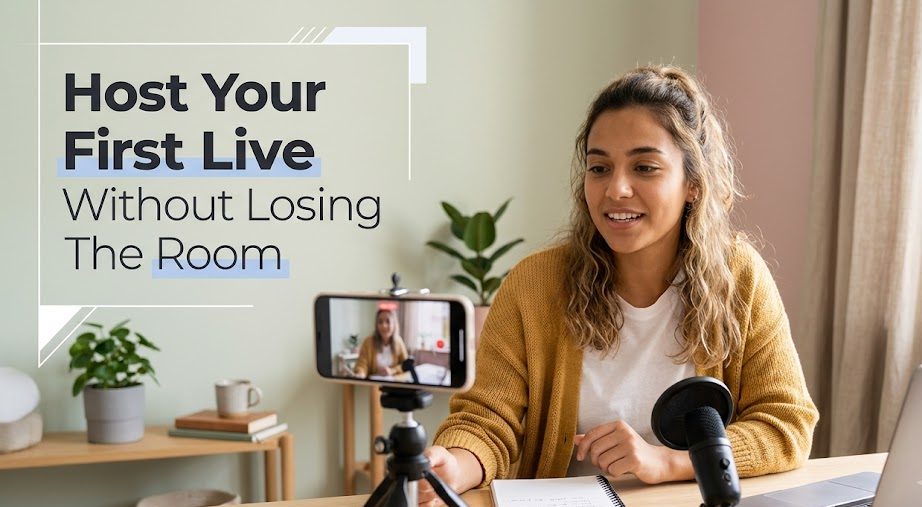
Hosting a live session is different from simply talking online. A person can have a good camera, clear audio, and a clean setup, but the session can still feel flat if the host does not know how to guide the room.
That is why a beginner hosting playbook matters. When you go live, you are not only speaking. You are opening the session, welcoming people, explaining the topic, reading the mood, handling silence, answering comments, and closing the session before it drifts too far.
For beginners in 2026, hosting does not need to feel like a stage performance. It can be simple, warm, and structured. The goal is not to become loud or overly polished. The goal is to help viewers feel that someone is leading the session with calm hands on the wheel.
Hosting Starts Before The First Word
A live host does not begin working when the camera turns on. The hosting actually starts earlier, when the topic, mood, opening, and session flow are prepared. Without that preparation, the first few minutes can feel like a door opening into an empty hallway.
Know The Room You Are Creating
Every live session has a room, even when it happens online. A product demo has a different room from a tutorial. A casual Q&A has a different room from a professional webinar. A small creator update has a different room from a live selling session.
Before going live, ask yourself:
- Is this session casual or structured?
- Should the mood feel friendly, professional, energetic, or calm?
- Will viewers mostly listen, ask questions, or take action?
- What should they understand before leaving?
This helps you choose the right hosting tone. If the live session is educational, you may need slower explanations. If it is a product demo, you need clarity and pacing. If it is a casual update, you need warmth without rambling too much.
Prepare The First Minute Like A Front Door
The first minute decides whether the session feels organized or random. Many beginners waste this part by saying “hello” repeatedly while waiting for viewers to appear.
It is okay to greet people, but the host still needs direction. A simple first-minute structure can help:
| First Minute Part | Example |
|---|---|
| Greeting | “Hi everyone, welcome to today’s live.” |
| Topic | “We’ll talk about how to prepare your first live session.” |
| Value | “I’ll share a simple flow you can copy.” |
| Timing | “This will be short and practical.” |
| Invitation | “You can drop questions in the chat as we go.” |
This opening tells viewers where they are. It also helps the host avoid nervous wandering.
A Good Host Keeps The Session Moving

A live session can lose energy when the host stays too long in one part, jumps too quickly, or forgets to guide viewers from one point to the next. Hosting is partly about movement. The audience should feel that the session is going somewhere.
Use Small Bridges Between Sections
Beginners often move from one topic to another without warning. This can make the session feel messy, even when the content is useful.
Small bridge sentences can make a big difference.
For example:
- “Now that we’ve talked about setup, let’s move to the opening line.”
- “Before I answer questions, I want to show one quick example.”
- “That covers the basic mistake. The next part is what to do instead.”
- “Let’s slow down here because this is the part beginners often miss.”
These sentences are simple, but they help viewers follow the flow. They are like small signboards on a road. Without them, the audience may still arrive, but the ride feels bumpier.
Control The Pace Without Sounding Robotic
A beginner host may speak too fast because of nerves. Another may speak too slowly because they are reading every note. Both can make viewers disconnect.
A good pace feels natural but not careless. You can pause after important points, repeat key ideas, and check the chat without stopping the whole session for too long.
Try this rhythm:
- explain one point
- give one example
- pause briefly
- check chat or continue
- move to the next point
This rhythm keeps the session alive. It gives viewers time to absorb the message without letting silence grow too large.
The Chat Is Part Of The Room, Not The Whole Room
Live chat can help a session feel active, but it can also pull the host away from the main topic. A beginner host needs to learn how to include comments without letting them take over the session.
What To Do When The Chat Is Quiet
A quiet chat can feel scary. The host may wonder if anyone is watching, listening, or interested. But silence does not always mean failure. Some viewers prefer to watch quietly, especially in educational or beginner topics.
If the chat is quiet, do not panic. Use gentle prompts instead.
You can say:
- “If you’re watching quietly, that’s totally fine.”
- “You can type your question anytime, or just follow along.”
- “I’ll continue with the next point, and you can drop comments later.”
- “If this is your first time going live, you can simply type ‘first’ in the chat.”
The key is to invite, not pressure. A quiet audience can still be a real audience.
What To Do When The Chat Gets Too Busy
The opposite problem can also happen. Sometimes the chat moves too fast, questions overlap, or comments pull the session in too many directions.
A beginner host can handle this by setting simple boundaries.
For example:
- “I’ll answer three questions after this section.”
- “Let me finish this point first, then I’ll check the chat.”
- “That’s a good question. I’ll save it for the Q&A part.”
- “I may not catch every comment, but I’ll answer the most related ones.”
This keeps the host in control without ignoring viewers. A live session should feel interactive, but it should not become a room where everyone grabs the microphone at once.
Hosting Mistakes That Make Beginners Look Unprepared
Mistakes are normal, but some mistakes make a live session harder to follow. The good news is that most beginner hosting mistakes can be avoided with simple habits.
Starting Without A Clear Topic
A host who starts without a topic usually ends up circling around the same ideas. Viewers may leave because they do not know what the session is about.
Before going live, write one sentence:
“Today’s live is about…”
If you cannot complete that sentence clearly, the topic is not ready yet.
Reading Notes Like A Script
Notes are helpful, but reading every word can make the session feel stiff. Viewers want guidance, not a page being read out loud.
Use notes as anchors. Write short phrases, not full paragraphs.
Example:
- opening problem
- three setup checks
- chat question
- quick recap
- closing line
This keeps the session natural while still giving you a path.
Apologizing Too Much
Beginners often apologize for every small thing. A little apology is fine if something truly goes wrong, but too many apologies can make the session feel fragile.
Instead of saying:
“Sorry, sorry, I’m not good at this.”
Say:
“Let me adjust this quickly, then we’ll continue.”
That sounds calmer. It tells viewers the session is still under control.
A Beginner Host Needs A Closing Plan Too
Many beginners focus only on starting the live session. Then, when the session should end, they suddenly do not know how to close it. The ending becomes long, repeated, and awkward.
Make The Final Two Minutes Useful
The last two minutes should help viewers remember what they got from the session. A strong closing does not need to be dramatic. It only needs to be clear.
A simple closing flow:
- summarize the main point
- mention one action viewers can take
- thank viewers for joining
- tell them what to expect next
- end the session cleanly
Example:
“Today we covered a simple way to prepare your first live: choose one topic, check your setup, prepare your opening, and keep your notes nearby. If you’re planning your first session, start with a short 10-minute live. Thanks for joining, and I’ll see you in the next session.”
That is enough. No need to circle back again and again.
Leave Before The Energy Drops Too Far
A live session does not always need to be long. For beginners, shorter can be better. Ending while the session still feels useful is often stronger than stretching it until everyone is tired.
A good host respects the viewer’s time. If the topic is finished, close the session. The audience will remember a clear ending more kindly than a live session that slowly fades like a lamp running out of power.
A Small Hosting Note Before You Go Live
Hosting is not about pretending to be someone else. It is about helping the session feel easier to follow. You can be calm, friendly, funny, serious, gentle, or direct. The style can be yours, as long as the room feels guided.
For beginners, the first goal is simple: open clearly, move with structure, respect the audience, handle chat calmly, and close without dragging. Those small habits can make a first live session feel much more prepared.
When you go live, viewers are not only watching your face on a screen. They are entering a small real-time space that you create. Good hosting helps that space feel less awkward, less noisy, and more worth staying in.


Seo Ji-an worked as a junior broadcast producer before moving into livestream production for beauty brands, independent creators, and online retailers.
During her seven years in digital production, she has handled studio preparation, lighting checks, audio testing, run sheets, and backup streaming systems.
She writes practical guides for beginners who want to prepare a reliable broadcast without turning a small room into an expensive television studio.